Get BuzVault on Google Play
The 10-minute Sunday review that makes your saves useful
A tiny weekly habit that turns saves into action.
2 min read
 BuzVault Team · 2 min read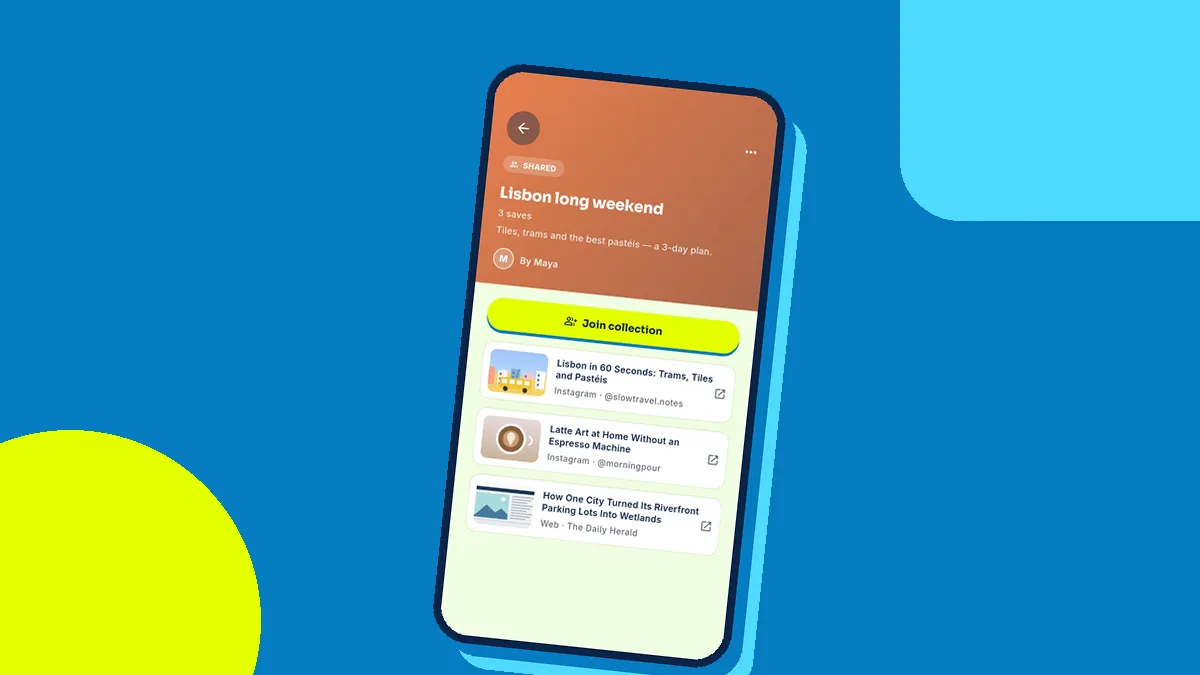
Every group trip starts the same way. Someone creates a WhatsApp group, everyone sends links — hotels, cafés, beaches, reels of waterfalls — and within two days the good ideas are buried under jokes and voice notes. When it is time to book, nobody can find the hotel that everyone liked.
A shared collection fixes this. Here is how to plan a trip with one link.
In BuzVault, create a collection with the trip name — “Goa, December” or “Lisbon long weekend”. Add every hotel, restaurant, activity and travel reel you find. Each save keeps its title, link and picture, so the list is easy to scan.
Tap Share on the collection. You get a single link you can drop into the group chat. Friends can open it on the web or in the app and see every place in one tidy list. Only titles and links are shared — your private notes stay private — and you can stop sharing whenever you like.
Friends who use BuzVault can join the collection, so their finds land in the same place instead of the chat. You can see who added what, which ends the “who sent that hotel?” question for good.
On the trip, the collection becomes your guide. The café someone saved three weeks ago is one tap away, and search works even when your signal does not.
Next time someone says “let’s plan a trip”, send a collection link instead of the first hotel.
A tiny weekly habit that turns saves into action.
2 min readWhy we built it and what is coming next (iPhone app, family plan).
2 min readAn honest comparison of ways to keep links.
2 min read